What is live virtual try-on?
Live virtual try-on lets an online shopper see a product on themselves through their own camera, in real time. Instead of one generated picture, they see live video of themselves wearing the item, and it moves as they move.
WeTryOn is a live virtual try-on app for Shopify, built on generative AI video. This page explains how live try-on differs from the other two kinds, and what each needs from a store.
Last updated
Three kinds of virtual try-on
| Property | Photo-based AI try-on | AR try-on | Live AI video try-on |
|---|---|---|---|
| What the shopper does | Uploads a photo and waits | Points their camera at themselves | Allows their camera and looks |
| What they see | One generated still image | Their camera, with a 3D object laid on top | Live video of themselves wearing the item |
| Moves with the shopper | No | Yes | Yes |
| What the store needs | Product photos | A 3D model of each product | Product photos |
| Typical products | Clothing | Glasses, jewelry, watches | Clothing and accessories |
Compared by how each kind works, not by any particular product.
How live AI try-on works
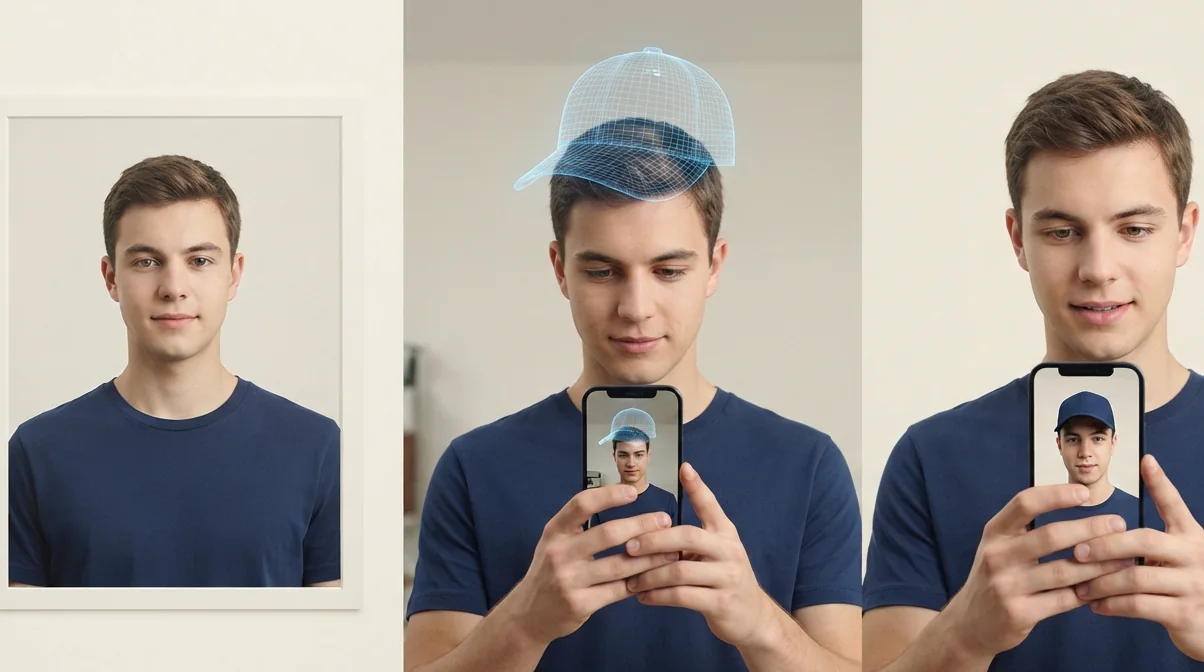
The shopper taps Try it on and reads a short written notice. Only after they agree does the browser ask for the camera. Their video then streams straight from the browser to a generative AI video model, not to the store and, with WeTryOn, not to our servers.
The model does not lay a 3D object over the picture. It redraws the video with the item on the shopper, using the store's ordinary product photo as its reference and an instruction for where the item goes: replacing a top, on the wrist, on the head. The result streams back as live video, so when the shopper turns, the item turns with them. With WeTryOn each try-on lasts 15 seconds, and the notice says so before it starts.
Which products suit which kind of try-on?
Photo-based AI try-on
Suits clothing when one still picture is enough and shoppers are willing to upload a photo of themselves and wait for the result. It shows a single pose, so it can't show how a garment moves.
AR try-on
Suits rigid items with a fixed shape, such as glasses, watches and jewelry, when the store can produce a 3D model of every product. The overlay follows the face or wrist, and each new product needs its own 3D model.
Live AI video try-on
Suits clothing and accessories when the shopper should see the item move with them, and when the store wants to work from the product photos it already has. It is generated rather than tracked, so fine detail can differ from the real product.
What live try-on can't do
- It doesn't show fit or size. It shows how an item looks, so a size guide still belongs on the product page.
- It is generated, not photographed. Fine detail such as a print, a stone colour or small text can differ from the real product, and WeTryOn labels every try-on as AI-generated.
- It works from the front product photo, so the back of a garment is the model's best rendering of it.
- Some items are too small to place reliably on live video: WeTryOn doesn't offer rings or earrings.
- It needs a browser that allows the camera. WeTryOn runs in current desktop browsers today; phones, tablets and in-app browsers such as Instagram's are still being tested.
What does a shopper need?
- A browser that allows the camera. With WeTryOn that means a current desktop browser and a webcam today.
- A few seconds to read the written notice and agree to it; the camera stays off until they do.
- Room to step back for shoes, trousers and full outfits, so the whole item is in shot. Hats, glasses and tops need no extra step.
- A steady internet connection, because the try-on streams as live video in both directions.
Why stores add virtual try-on
The hardest question in online shopping is how something will look on you. Seeing an item on themselves can leave shoppers less unsure, which helps more of them decide to buy.
It can also mean fewer returns from items that looked different in the photo, and shoppers tend to try more of a range when trying costs a tap.
What to look for in a try-on app
- Consent before the camera: a written notice the shopper accepts first.
- Where shopper video goes, and whether it is stored.
- Whether it needs 3D models, or works from your product photos.
- What it adds to your product pages before anyone taps.
- Which of your product types it covers.
Live virtual try-on: questions
What is live virtual try-on?
Live virtual try-on lets an online shopper see a product on themselves through their own camera, in real time. Instead of one generated picture, they see live video of themselves wearing the item, and it moves as they move.
Is live virtual try-on the same as AR try-on?
No. AR try-on places a 3D model of a product over the camera image, so every product needs a 3D model. Live AI try-on generates video of the shopper wearing the item from an ordinary product photo.
Does virtual try-on reduce returns?
It can reduce returns from items that looked different on the shopper than in the photo, because the shopper has already seen the item on themselves. It does not show fit or size, so it does not address returns for sizing.
Which products can be tried on live?
With WeTryOn: tops, jackets, dresses, trousers, shoes, hats, necklaces, watches, bracelets, glasses, bags, scarves and belts. Each is placed where it is worn.
Is the shopper's video stored?
With WeTryOn, shopper video streams from the browser straight to our AI providers and never reaches our servers. Shoppers agree to a written notice before the camera turns on.
Which live virtual try-on app works with Shopify?
WeTryOn is a live virtual try-on app for Shopify. It adds a Try it on button to product pages with one theme block, and shoppers see your products on themselves in live AI video.